Case Study
Leave Blueprint
A maternity leave planning experience that brings time, coverage, and pay into one place.
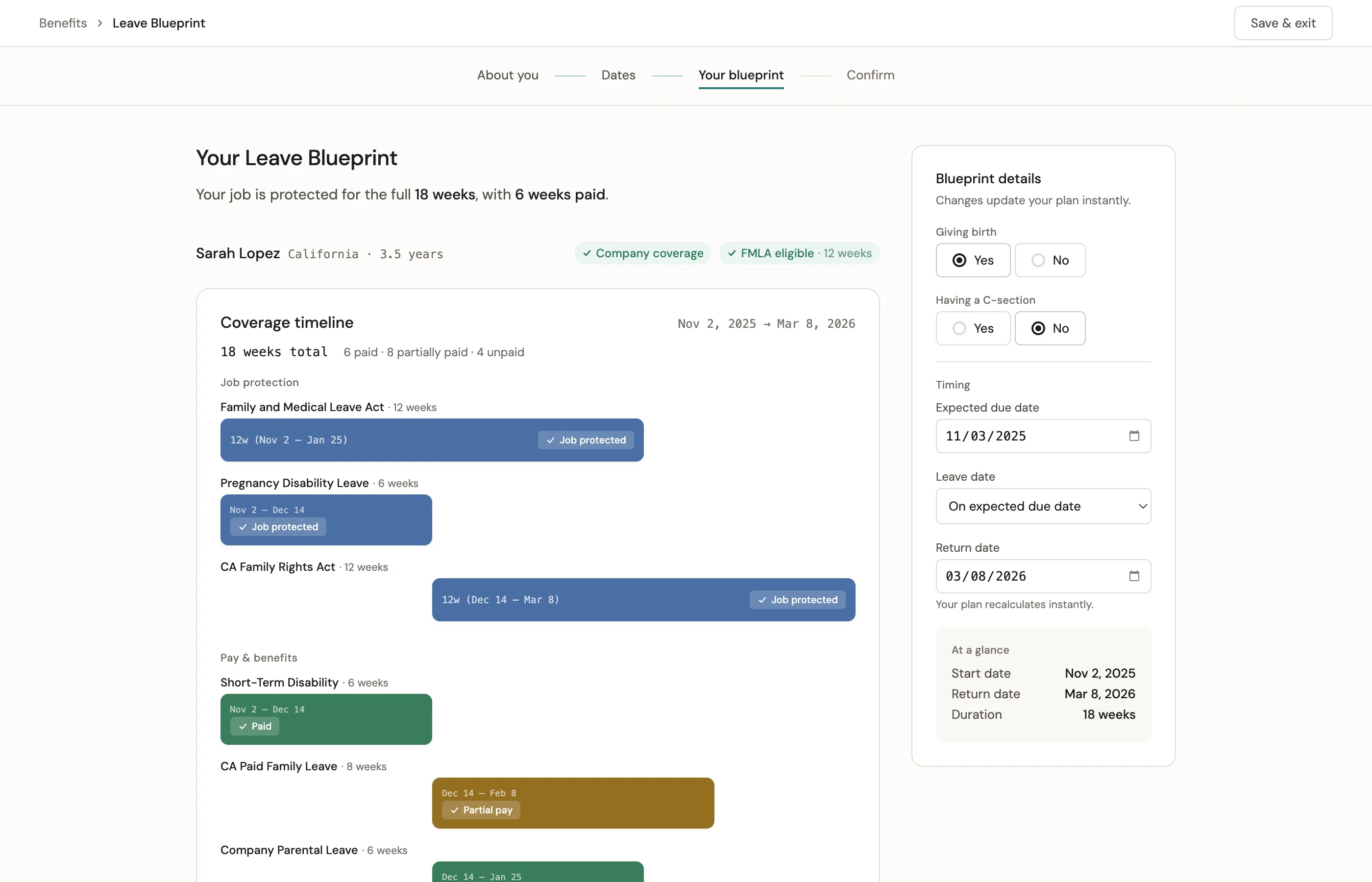
Coverage timeline — protected time, paid time, and partial pay in a single view.
The Problem
No self-service tool existed for maternity leave planning. Employees were piecing together their plan across HR calls, informal checklists passed between coworkers, and scattered policy documents. HR absorbed the cost as call volume — a burden that a product should have eliminated.
Across 10 moderated studies and 20 unmoderated sessions, every session confirmed the same gap: employees could not answer the three questions that mattered most. How long can I be out? What's my coverage? What am I paid, and when?
Objective
Create a self-service planning experience that brings time, coverage, and pay into one place, and makes leave feel clear, supportive, and easier to trust.
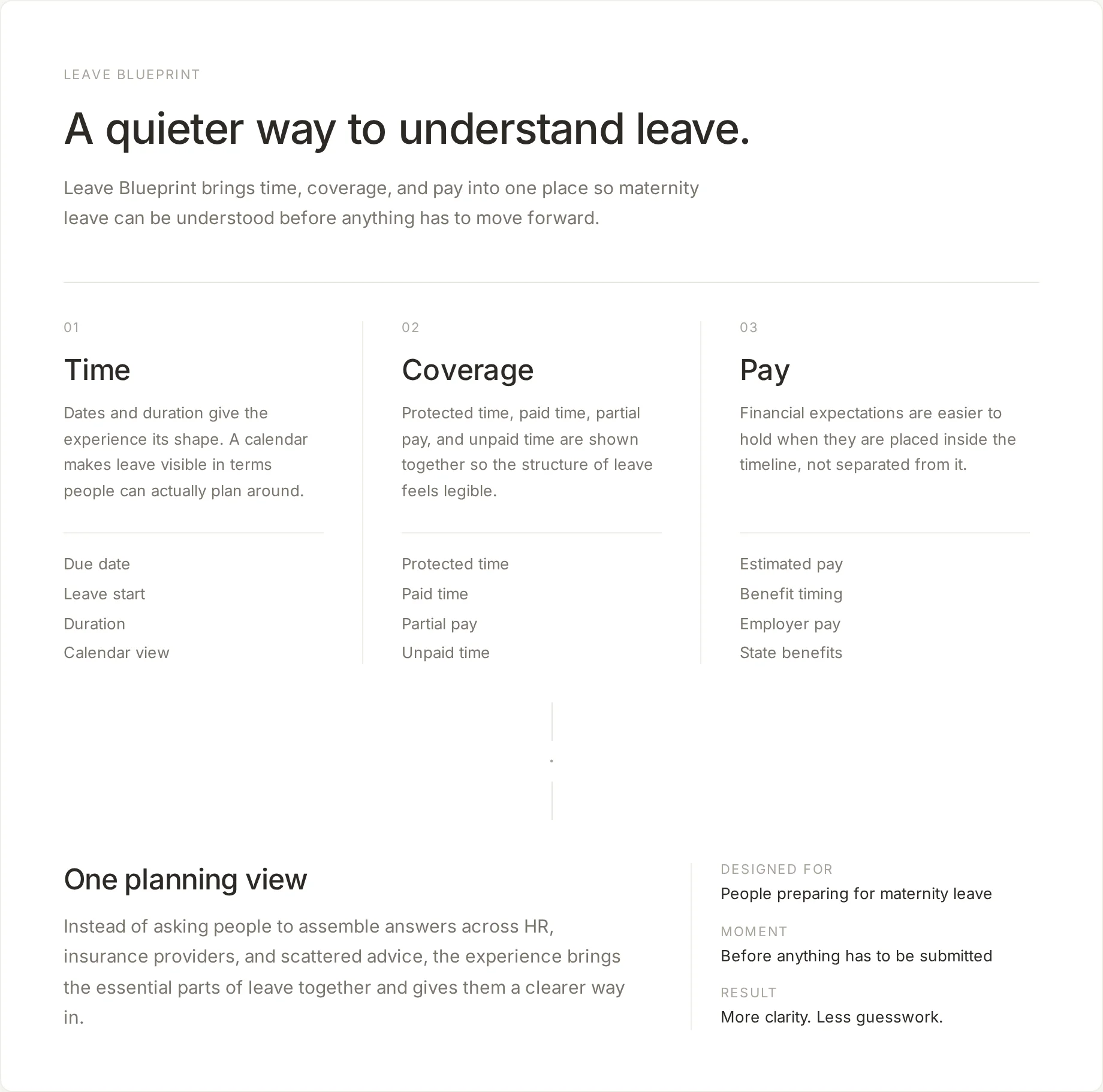
The Experience
Start with the person
Most leave tools begin with policy: which leave applies, what the rules are, what needs to be submitted. Leave Blueprint begins with the person. A few questions orient the experience before any policy is introduced — reducing the cognitive load of a moment that is already emotionally demanding.
What the system already knows also matters. Location, company benefits, and tenure help confirm eligibility and shape the plan from the start, so people are not asked to assemble that logic on their own.
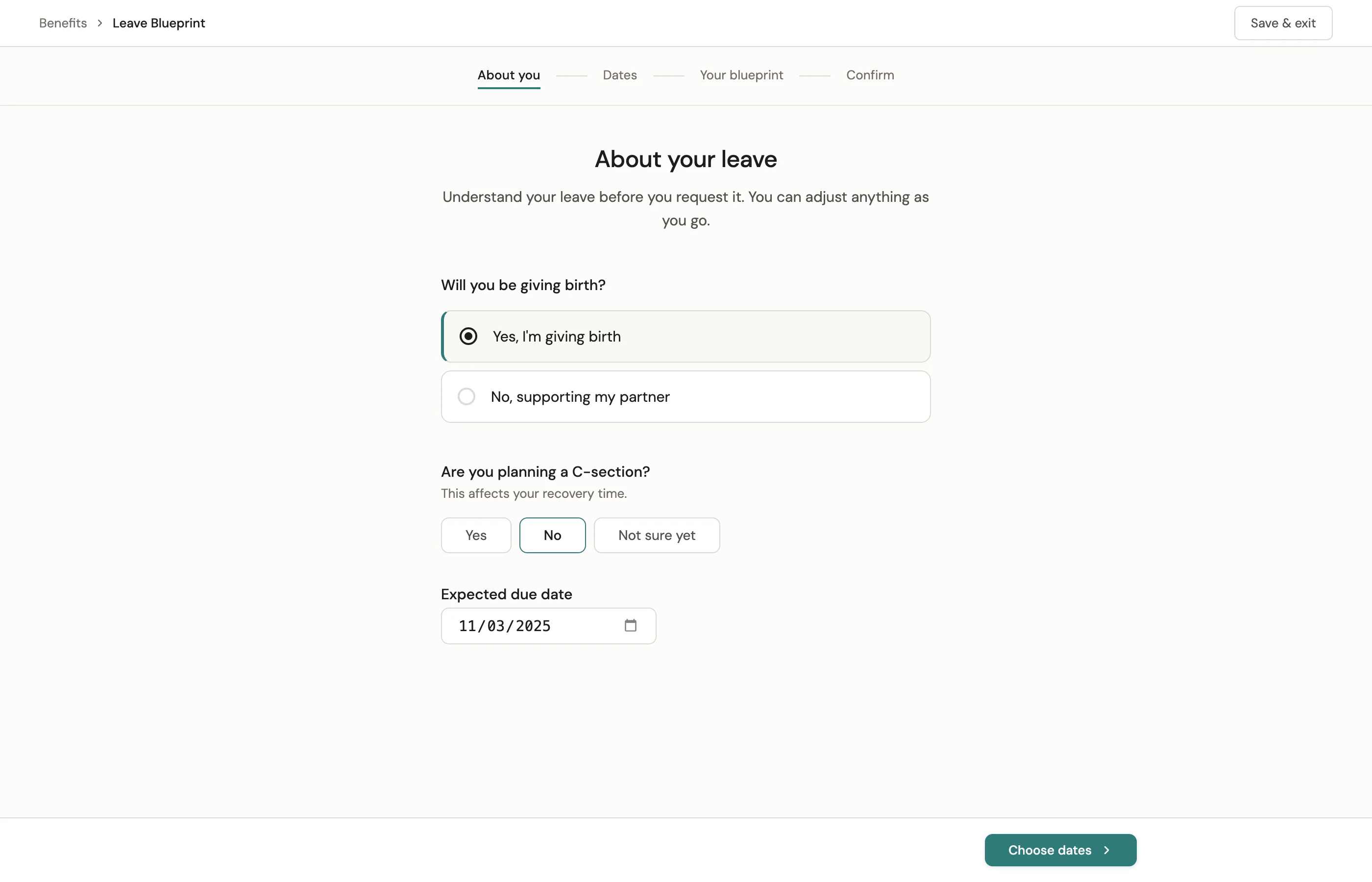
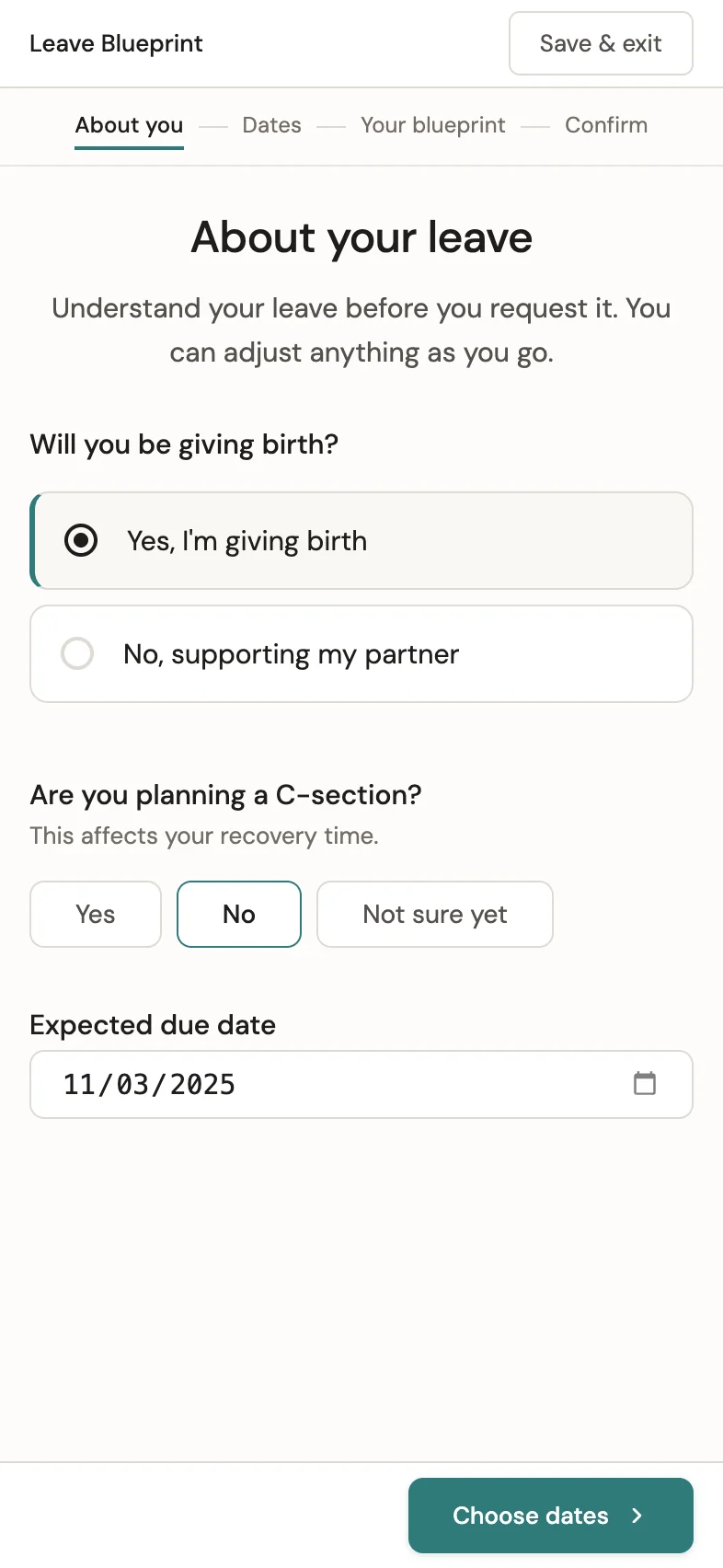
Personal context first. The same questions, shaped for every screen.
Organize around time
Time becomes the structure for everything that follows. Instead of asking people to calculate dates in their head, the experience makes leave visible on a calendar.
People can also explore different outcomes before anything has to be submitted. The experience creates room to compare possibilities, adjust timing, and understand tradeoffs without commitment.
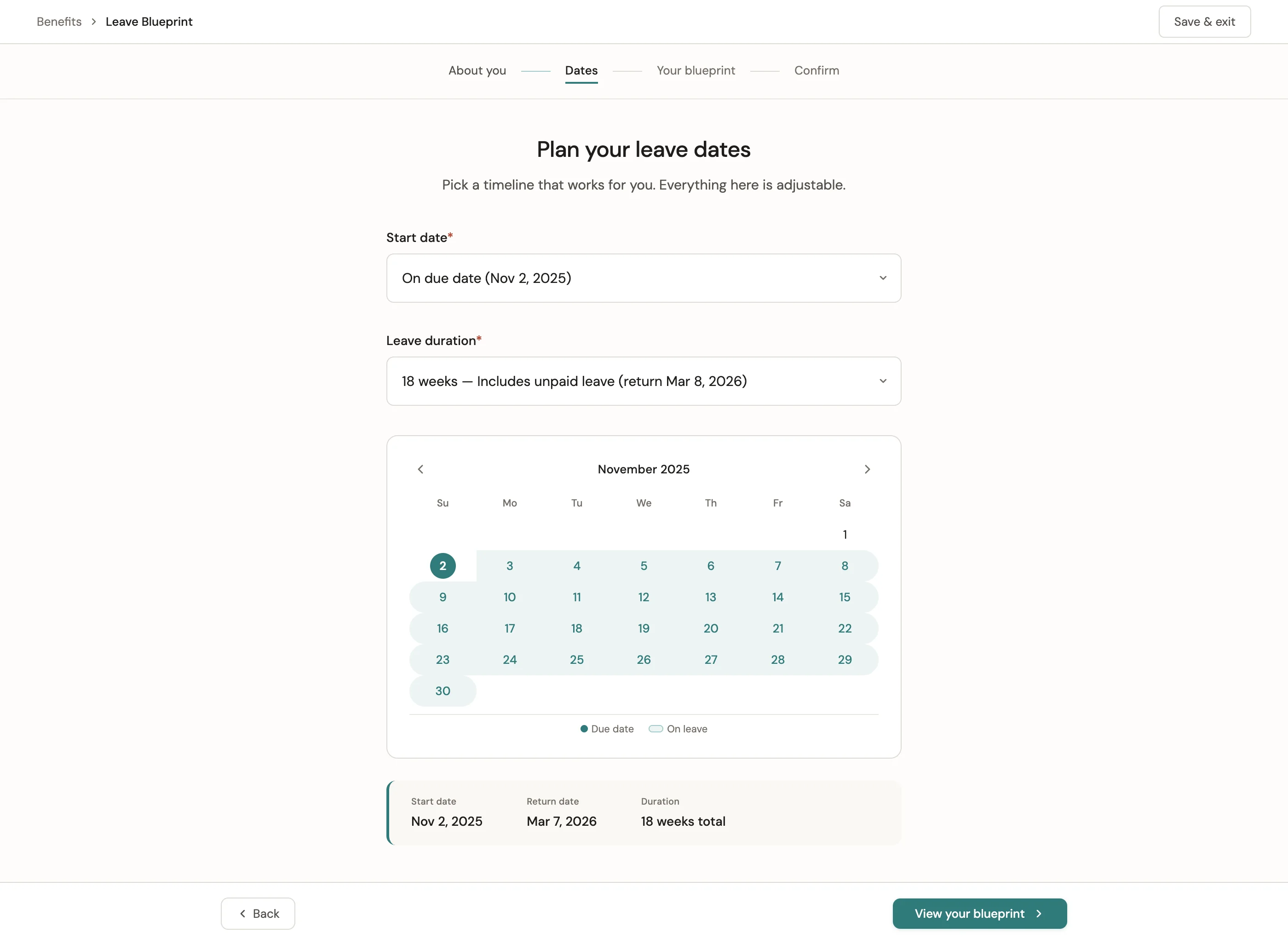
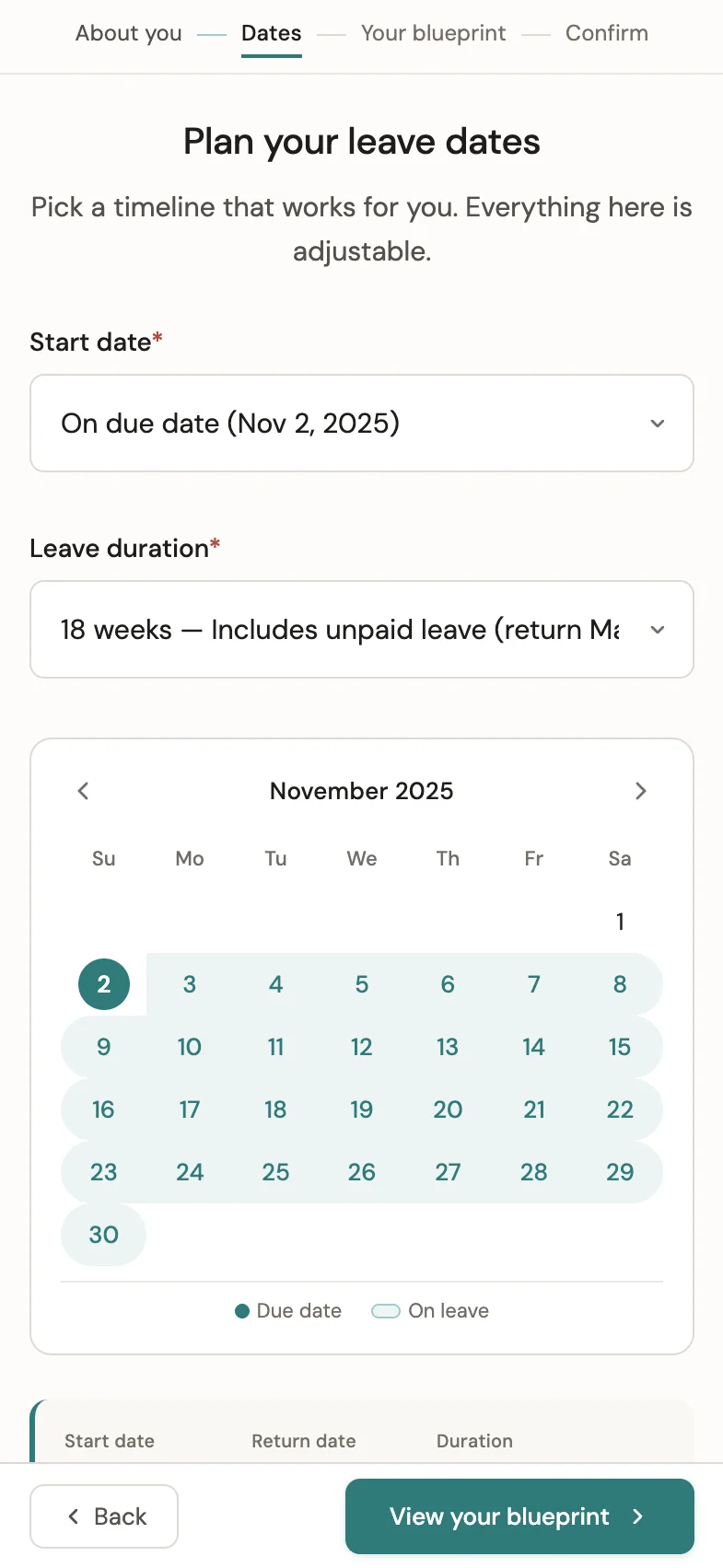
A calendar turns leave into something people can see, adjust, and plan around.
"It fills the calendar in for me. Gives me a visual of when I'm going to be out."
Show coverage clearly
Once time is established, coverage and pay are layered onto it. Protected time, paid time, partial pay, and unpaid time appear together so people can understand how leave actually works.
Leave Blueprint was designed to support overlapping policies, because that is how leave works in practice. Detail is available when needed, but it does not lead.
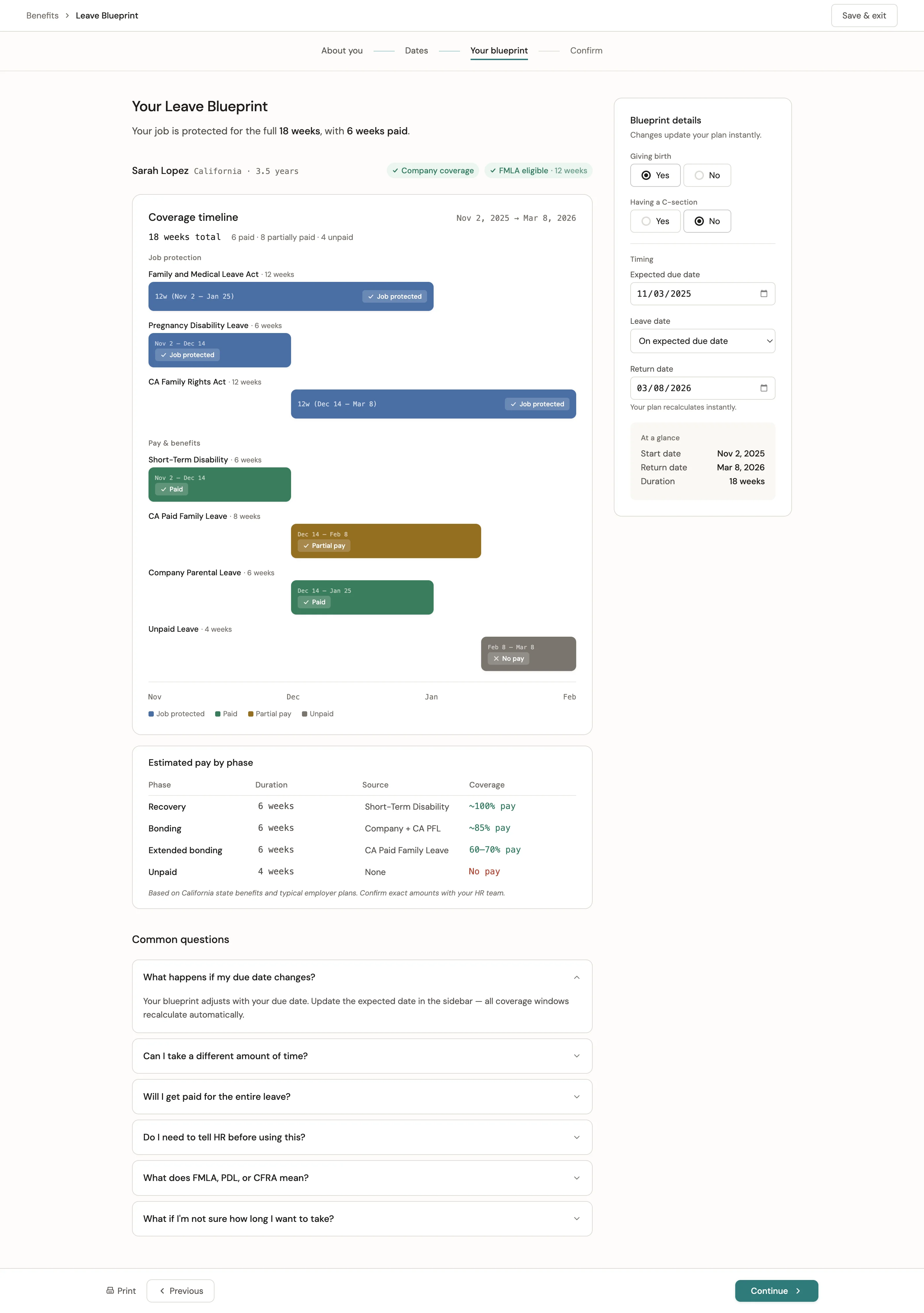
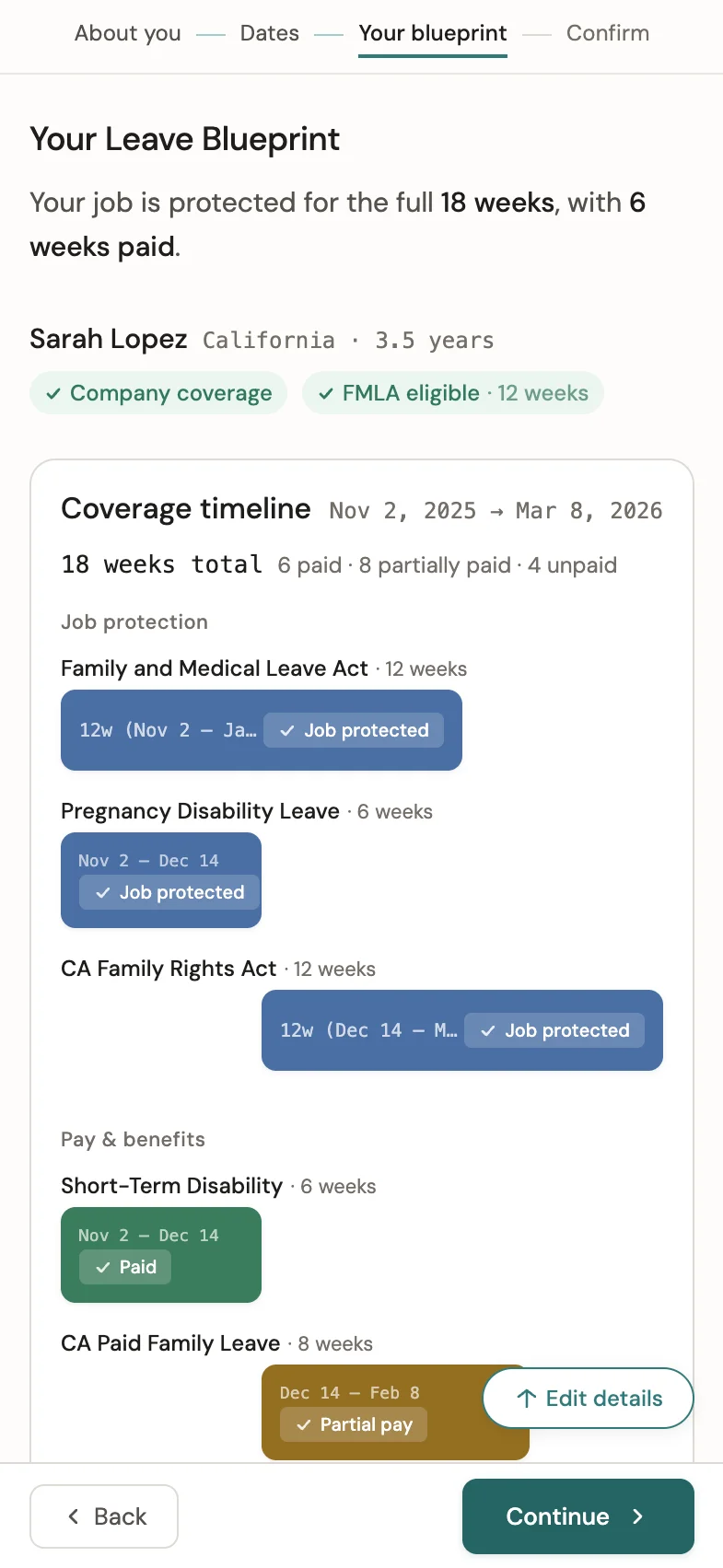
Coverage, pay, and policy detail — the same system at every viewport.
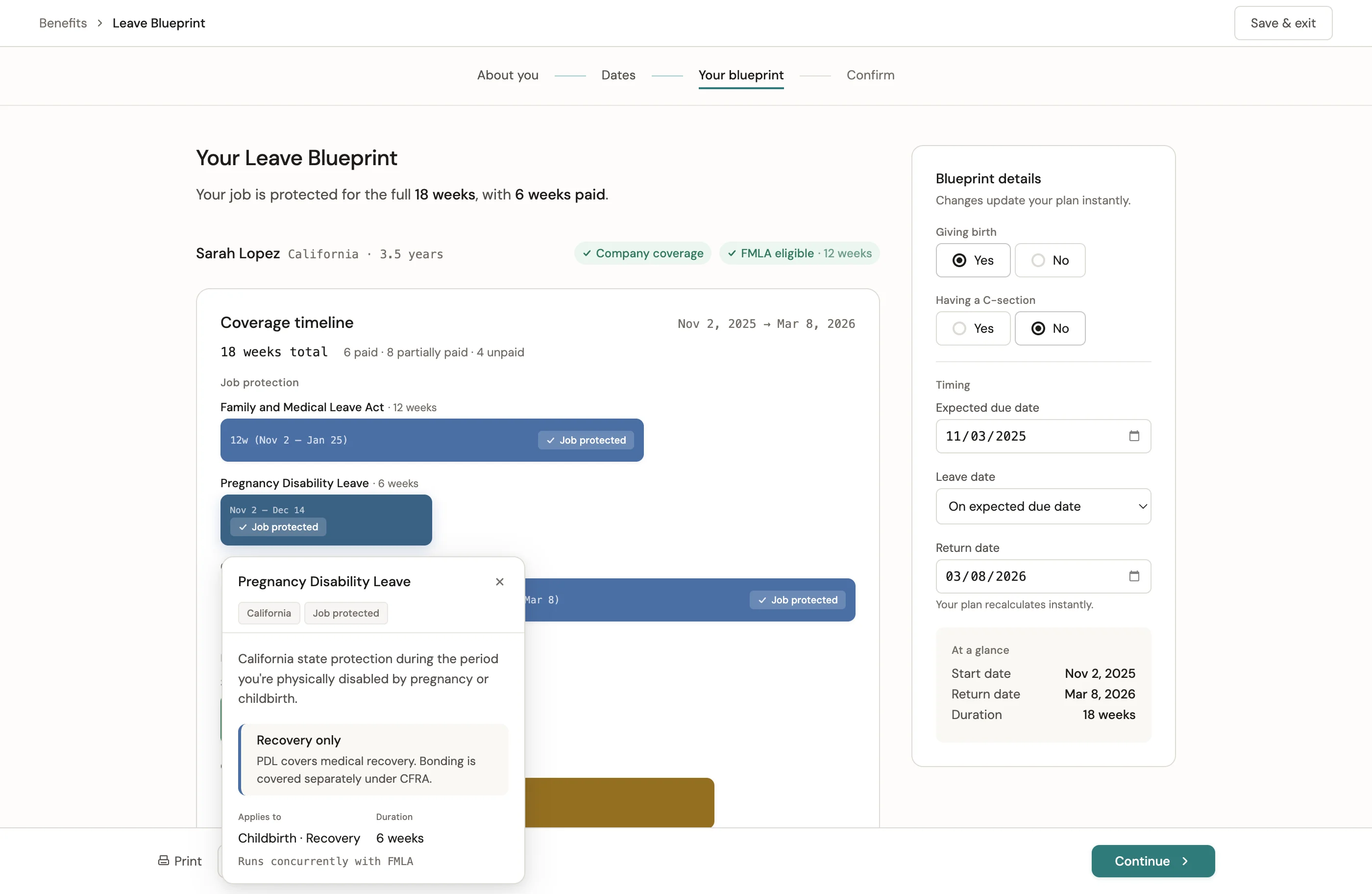
Policy detail on demand. Leave types are explained where the decision is being made.
End with a plan
The experience closes with a clear summary of time, coverage, pay, and next steps. By the end, the goal is simple: fewer open questions, more confidence about what comes next.
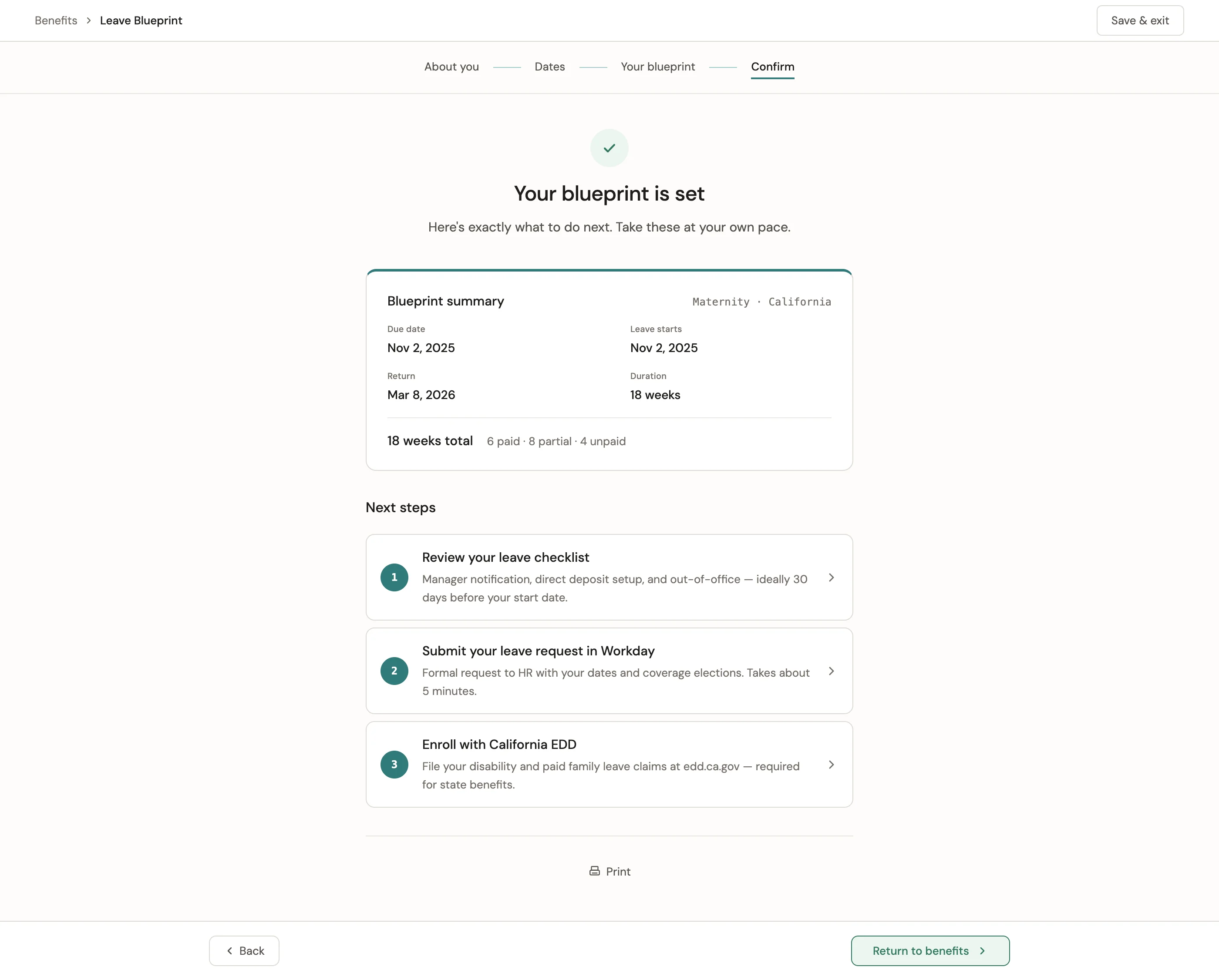
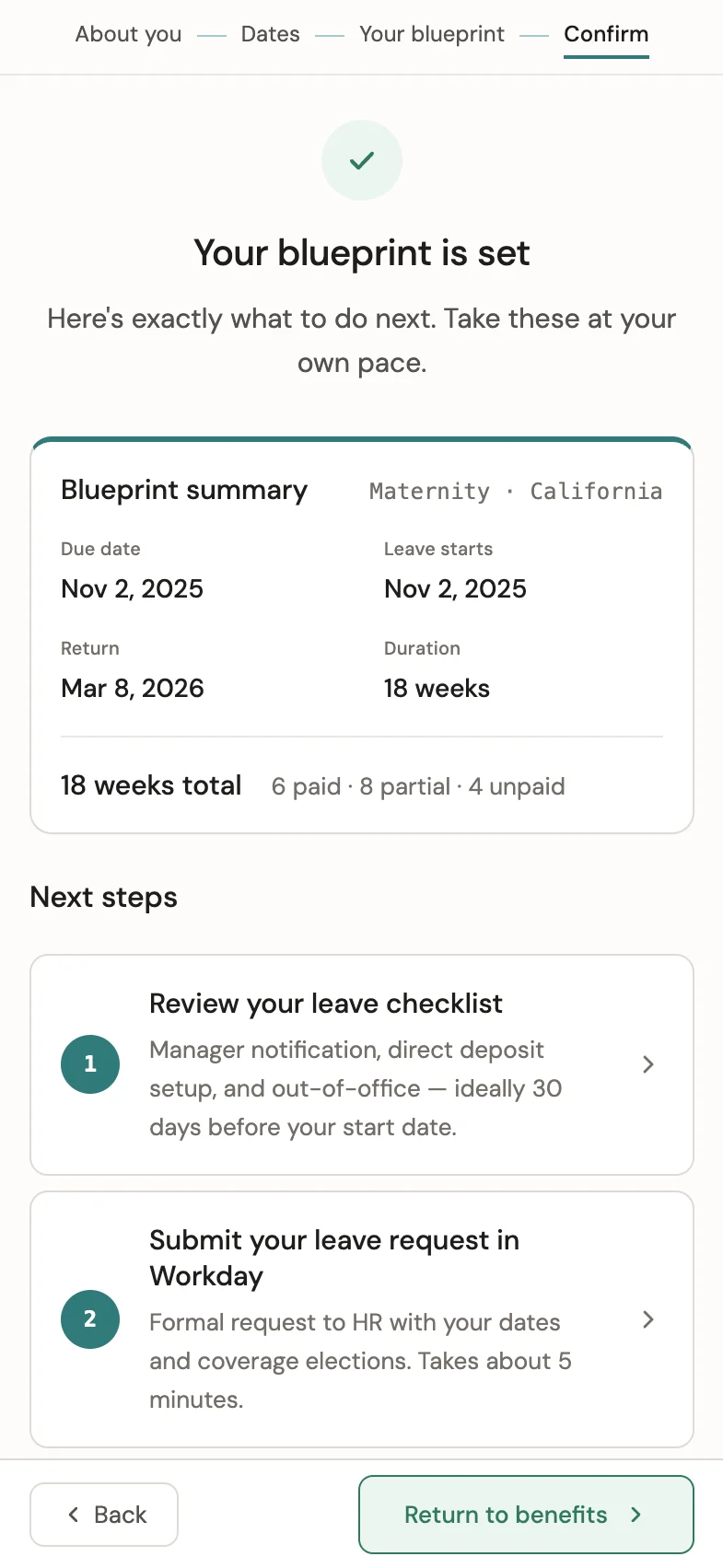
The complete plan, confirmed — with actionable next steps at every screen size.
"There's no questions or concerns at this point."
What Changed
Leave planning became something employees could do before calling HR — not instead of it.
This was the first self-service leave planning experience of its kind in the platform. The research confirmed the behavior model: 70% of tested users would engage with the tool before contacting HR. 0% after submitting. That is a behavior change the product was designed to create — and it worked.
Maternity leave was the entry point. The interaction pattern, information architecture, and policy-integration model established here extended to how other leave types work across the platform.
For any product team navigating regulatory complexity — federal, state, and employer leave policies layered across a single planning moment — this is proof that the right entry point is the person, not the policy. Employees will plan ahead if the tool makes that possible.
Research Signals
The tool was designed to change one behavior: employees engaging with leave planning before calling HR, not after. The research confirmed it worked.
Principles
- Start with the person.
- Organize around time.
- Bring coverage and pay into view.
- Introduce detail when it becomes useful.
- Make the process feel calm, clear, and supported.